ReelBoost
AI video enhancer for Windows

Make every Reel look sharp and smooth

ReelBoost upscales your clip with AI, makes it a smooth 60 fps, levels the sound and adds captions. Made for Instagram Reels, TikTok and YouTube Shorts. Everything runs on your own computer.

ReelBoost runs on Windows. Open this page on your computer to download it, or copy the link and send it to yourself.

Windows 10 / 11, 64-bit · 180 MB · free version included

Original frame
Enhanced with ReelBoost
Before ReelBoost
Drag to compare. 3D animation, 720p original vs ReelBoost, same frame, zoomed in.

Everything a short video needs, in one click

Up to 4K with AI

Real-CUGAN and Real-ESRGAN rebuild detail, then the result is downscaled cleanly for the platform.

Smooth 60 fps

RIFE adds in-between frames, so 24 and 30 fps clips play like silk.

Clean, even sound

Loudness is levelled to what Reels, TikTok and Shorts expect. No more too quiet or too loud.

Auto captions

Speech becomes bold captions with the current word highlighted. Fix any word before rendering.

Smart 9:16 crop

Horizontal video? The frame follows faces, so people stay in the shot.

Presets for your content

AI video (Higgsfield, Kling, Veo, Sora), 3D, cartoons and real footage, each with its own model.

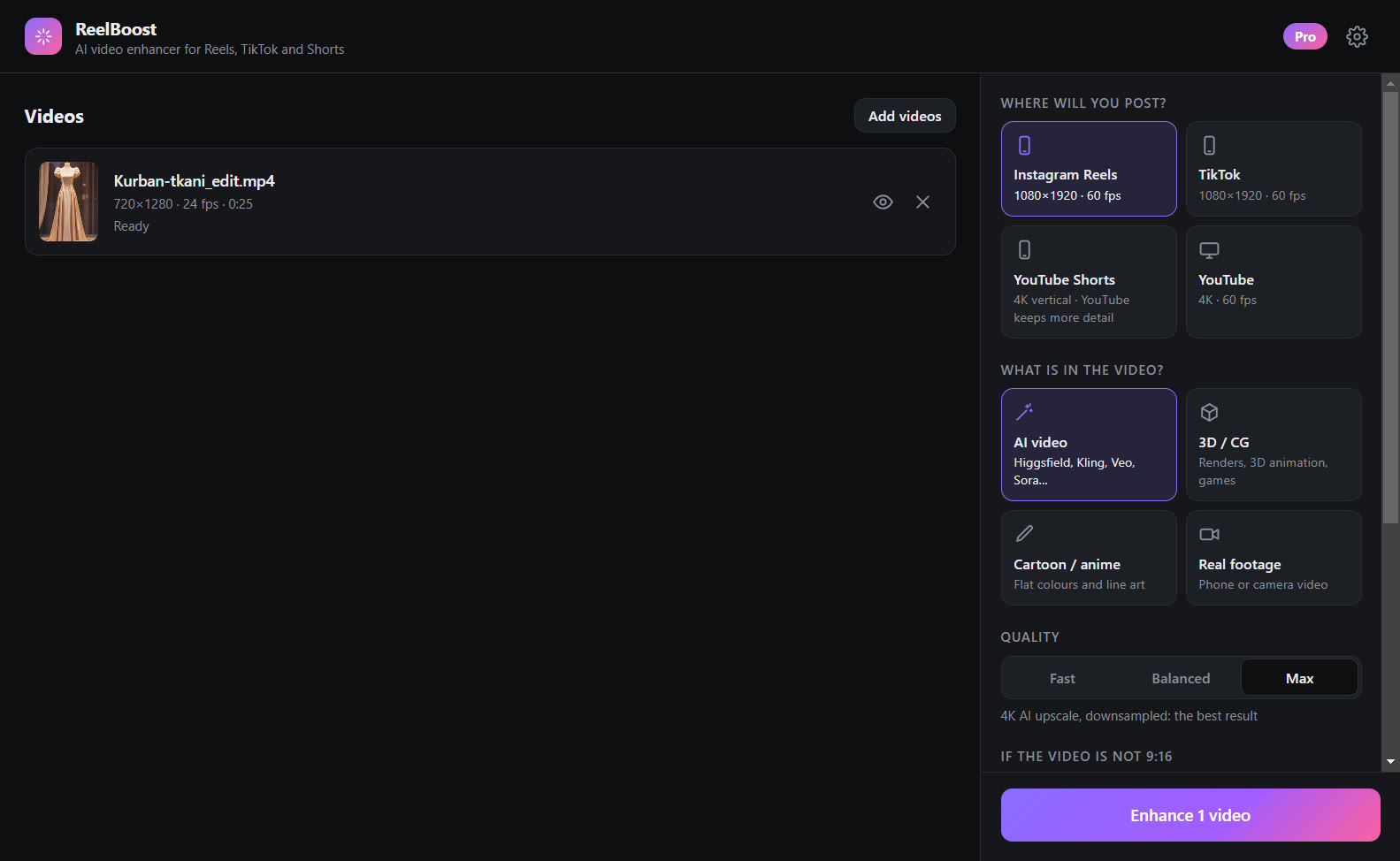
Pick where you post, drop your videos, press Enhance

ReelBoost window with platform and content presets

Start free. Go Pro once, keep it forever.

Free

$0
forever
  • AI upscaling, 60 fps and sound levelling
  • Videos up to 30 seconds, 720p
  • Small watermark
  • No captions or smart crop
Download free for Windows
Launch sale · −40%

Pro Lifetime

$99$59
one payment, all future updates
  • Full quality up to 4K, no watermark
  • Any length, batch processing
  • Auto captions and smart 9:16 crop
  • One key for up to 3 computers
Get Pro for $59
Card, PayPal or Apple Pay · secure checkout by Gumroad

Install in a minute

  1. Download ReelBoost-Setup.exe and open it.
  2. If Windows shows “Windows protected your PC”, click More info → Run anyway. The installer is new and not yet widely known to Windows.
  3. Drop your videos, choose where you post and press Enhance. Updates install by themselves.